
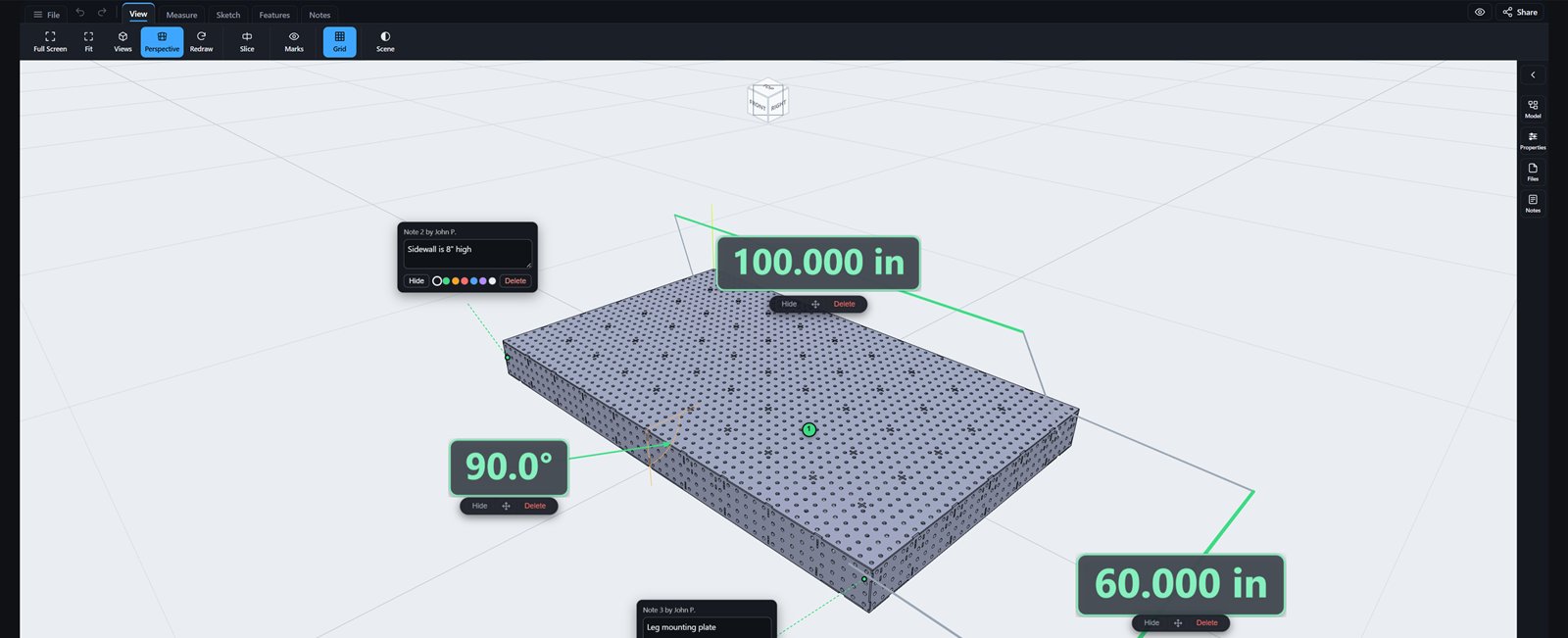
An eDrawings Alternative That Runs in the Browser and Shares with a Link
If you’ve ever received a SolidWorks part, you’ve probably been told to “just open it in eDrawings.” Nobody who says that has thought about what they’re actually asking you to do, because the eDrawings experience is a gauntlet.
Start with the install: a download in the neighborhood of 400 MB, on every single machine that needs it. Then the part nobody warns you about: each and every installed copy has to be registered, an arduous email back-and-forth per machine that is exactly as frustrating and painful as it sounds. Want to look at a part on your phone or tablet? Now you’re paying, because the eDrawings mobile app isn’t free at all. And after you’ve cleared all of that, the markup still lives in a file, so review happens by emailing files back and forth while everyone quietly hopes they’re looking at the same version. That’s not a free viewer, it’s an obstacle course with a viewer at the end.
The lock-in is the point
Here’s the part that should really bother you. When somebody emails you an eDrawings file, you can open it in exactly one program: eDrawings. That file is a dead end. It doesn’t open in your CAD system, it doesn’t open in anyone else’s, and it never will, because keeping you inside a proprietary format is what it’s for. eDrawings doesn’t exist to help you view parts; it exists to lock you into a platform.
Now compare that to a STEP file. Send someone a STEP and they can open it on our site in seconds, and they can also open it in essentially every 3D modeling application on earth, because STEP is the open standard the entire industry exchanges geometry in. Same part, same email, and one format leaves the recipient free while the other takes them hostage. We built this service around open formats on purpose. Your file stays yours, in a format everything reads, forever.
We built the thing eDrawings should have been
Plainly: if eDrawings, or any of the other “free” viewers, was actually any good, we would never have built an entire service to replace them. We’re a fabrication shop. We lived this workflow, the 400 MB installs, the registration email chains, the paid mobile app, the version roulette by inbox, the dead-end file format, and we worked around every single one of those failures on purpose.
And even setting all of that aside, eDrawings offers a fraction of the tools this service does. STEPFILE.com opens STEP, IGES, STL, OBJ, glTF, GLB, and DXF files in any browser on any device, phone and tablet included, with no install, no registration, and no paid app, ever. Measure with snap-to-geometry precision in inches or millimeters, section the part, show, hide, or isolate every component in an assembly, and view full-color models.
Then skip the email chain entirely. Pin your notes to the exact faces and edges they’re about, and share one link. The recipient opens the model free with your notes and measurements staged, joins a threaded discussion on the part itself, and always sees the latest revision when you update the file. Attach the PDF drawing, the BOM, and the DXF flat pattern and the whole package travels with that same link. Groups with roles, live folder shares, per-share permissions and expirations. When you allow it, recipients download the original files too, in a format they can actually use anywhere.
Free, from people who do this work
This viewer is built and owned by Texas Metal Works, a fabrication shop that got tired of exactly this. It’s free as in beer, forever, with optional paid plans that only exist to keep the service self-supporting. Here’s the whole story.
Next time someone says “open it in eDrawings,” send them a link instead.
Free, no install, no registration, no lock-in, works on everything.