Rib
Rib builds a thin web or gusset from a line you draw. The line is carried on until it meets the part, then filled out to the thickness you choose. It is one of the few features that works from an open sketch, a line instead of a closed shape.
What you get: a web of the thickness you typed, filled from your line to the part, in one History step, with the message "Rib applied. Volume is now 7.947 in³." (for the gusset in the pictures).
When to Use It
- Add a gusset to stiffen the corner between a plate and a wall
- Add a web inside a box or a casting
- Add a rib across the underside of a plate
- Add several ribs at once by drawing several runs of lines
Step by Step
- Open a sketch on a plane that crosses the part (see Planes and Faces).
- Draw one line, or a few lines joined end to end in a single run, across where the rib goes. Do not close the shape, and use straight lines only. Replace any arc with a line.
- Click Advanced on the Features tab, then Rib.
- Under Thickness choose First Side, Both Sides or Second Side, and type the Rib thickness. It starts at 1/4 in (6 mm in a metric display).
- Under Extrusion direction choose Parallel to Sketch or Normal to Sketch.
- Look at the dashed preview. If the rib fills the wrong side of the line, tick Flip material side.
- Read the line under the options. It says One run of lines (or the number of runs) and that the lines are carried on until they meet the part.
- Click OK. The line is used up and a message gives the new volume.
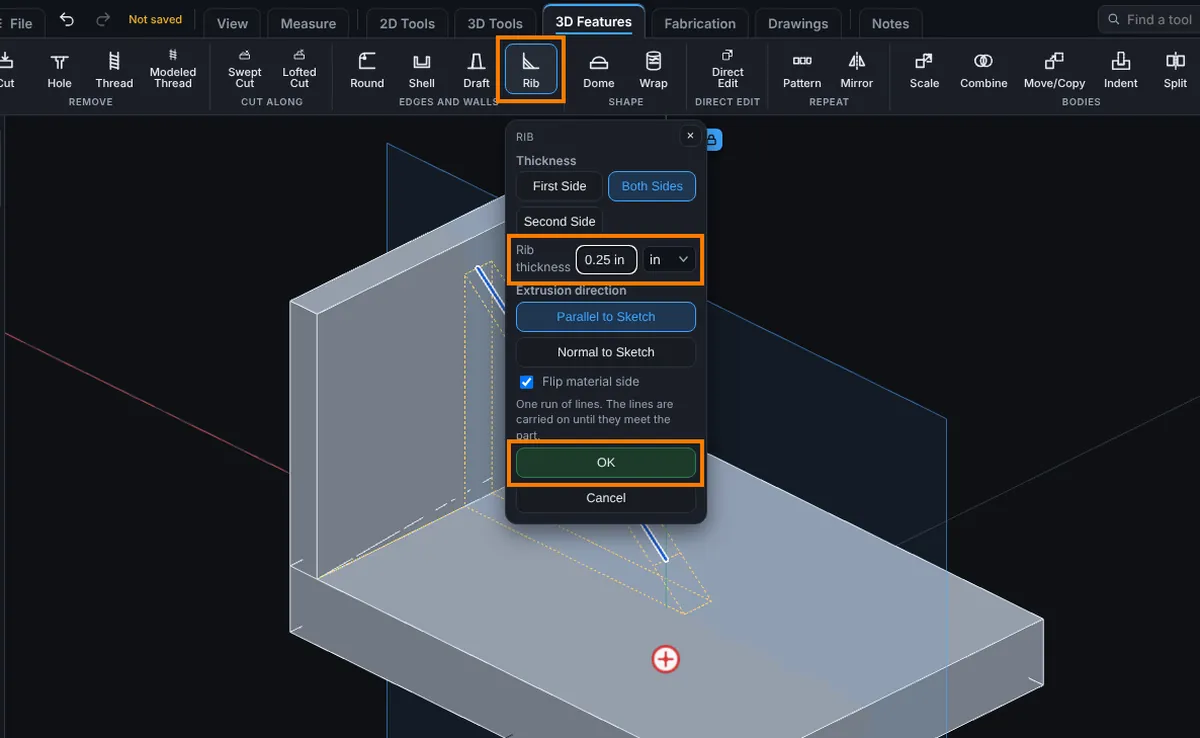
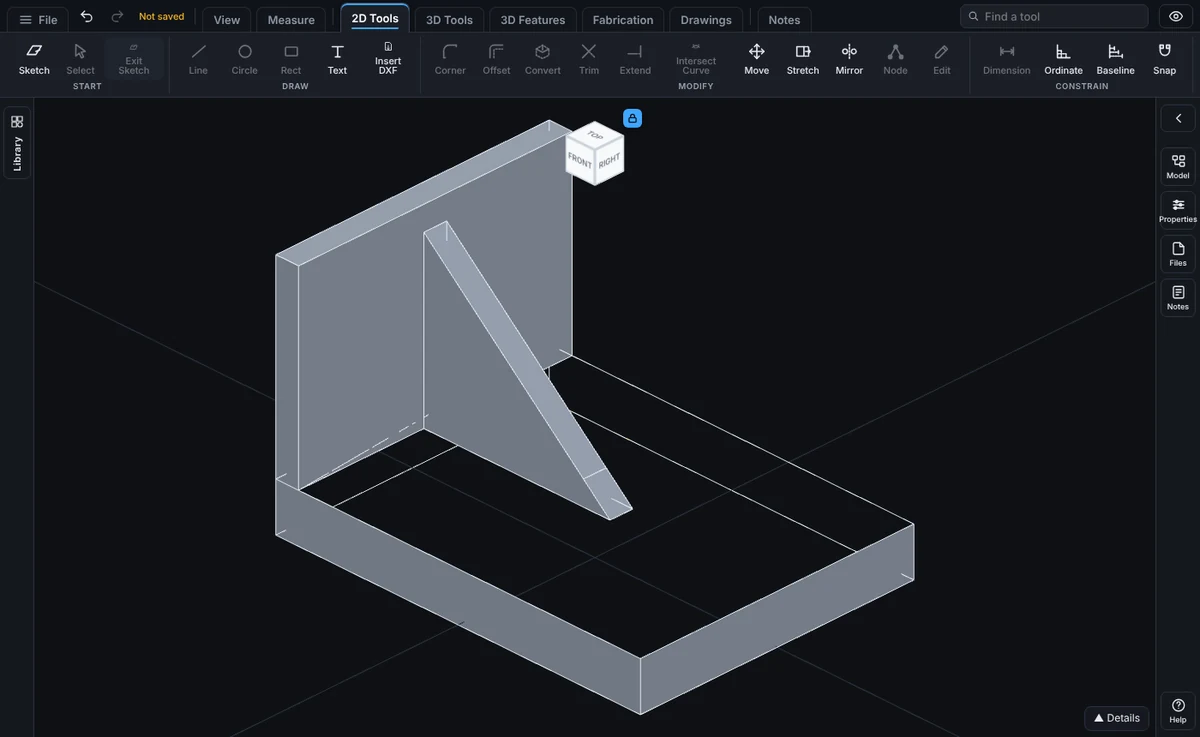
Options
- Thickness: First Side puts the thickness on one side of the line, Both Sides centers it on the line (the starting choice) and Second Side puts it on the other side.
- Rib thickness: more than 0. Type any unit, such as
6mmor1/4 in. - Extrusion direction: Parallel to Sketch (the starting choice) lies in the sketch plane and fills sideways from the lines to the part. It is the usual choice for a flat web. Normal to Sketch stands the rib up on the lines and runs it square to the sketch plane.
- Flip material side: which side of the line the rib fills. The panel starts on the side the part already closes in on, so you only need this to change that.
- OK and Cancel.
If the sketch holds several separate runs of lines, each one becomes its own rib in one step.
Edit It Later
Right-click the step in the Model tree and choose Edit Feature. You can change the side, the direction, Flip material side and the thickness in place. Edit Sketch reopens the lines. The step row reads like Rib, 1/4 in both sides, parallel to sketch.
Tips and What to Expect
- Both ends of each run have to be able to reach the part. A line that stops short of the part cannot make a rib.
- A rib 3 in long and 1/4 in thick across a 3 in wide corner is a typical gusset.
- The preview shows the volume the rib would add before you click OK.
- Without OK or Cancel the panel waits. Cancel leaves the sketch as it was.
Common Mistakes and Messages
- "A rib is drawn with straight lines. Replace the arcs with lines, or delete them."
- "A rib needs an open sketch: a line (or a few joined lines) where the rib goes, not a closed shape."
- "Draw a line where the rib goes first (Line tool), then press Rib."
- "Three lines meet at one point. A rib's lines must join end to end in single runs."
- "Those lines close into an outline. A rib needs an open run of lines; an outline is for Extrude or Cut."
- "The rib does not meet the part." Move the line so it crosses the part, or tick Flip material side.
- "The rib did not join the part cleanly. Try another thickness or redraw the lines."
- "There is no part yet for a rib to meet. Extrude something first."