Measure Angle
Angle measures the angle between two faces (or, on a flat drawing, two lines). It does not change the model.
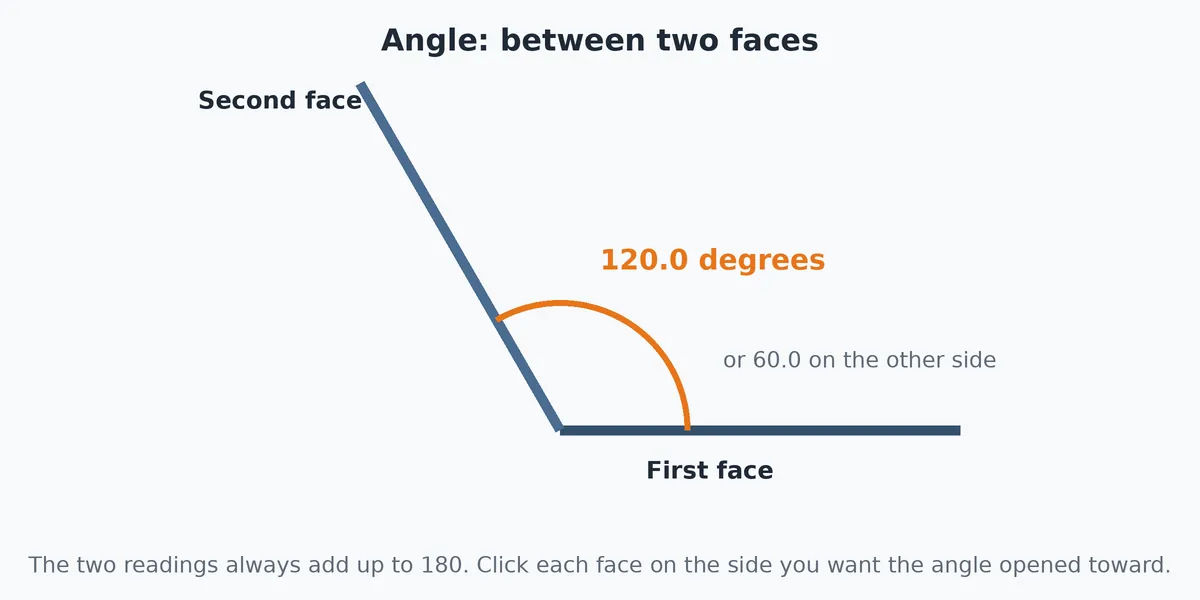
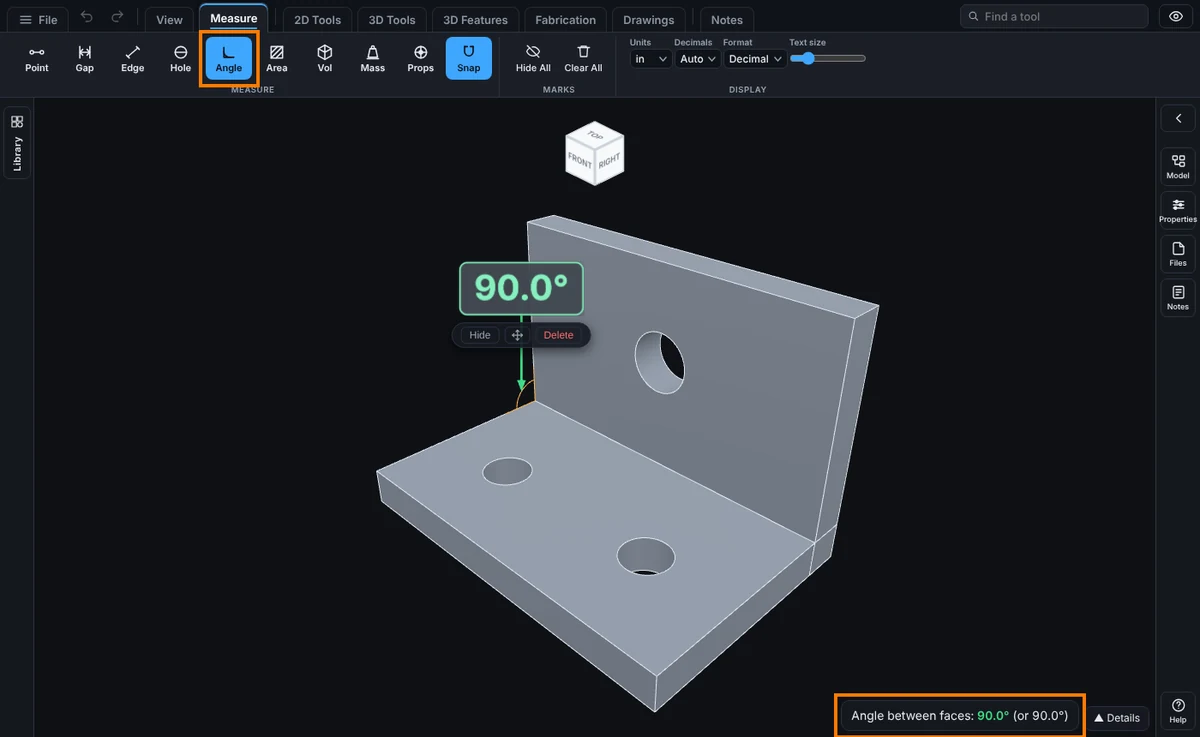
What you get: an arc where the two faces meet with the angle on it in degrees, and the readout Angle between faces with the other side of the angle in brackets.
Step by Step
- Click the Measure tab, then Angle. The readout says "Tap one face, then another, for the angle between them."
- Click the first face. It lights up blue.
- Click the second face. It lights up orange.
- Two lines and an arc are drawn where the faces meet, and the angle is written on the arc in degrees to one decimal, like 90.0 degrees. The readout says Angle between faces and also gives the other side, as in "(or 90.0 degrees)". The two always add up to 180.
After You Measure
- The measurement stays on the model with its number. The red Delete button under the number removes it. See Kept Measurements.
Options and Variations
- Flat drawings (DXF): click one line, then another. The arc is drawn where the two lines meet, extended if they do not touch. The readout says Angle.
- Parallel faces or lines: there is no angle. The readout says the faces are parallel (0 and 180 degrees), or "Those two lines are parallel."
Common Mistakes and Messages
- Which side of the angle do I get? The arc is drawn on the sides of the faces you clicked, so click each face on the side you want the angle opened toward.
- I clicked a curved face. Angle works from the flat patch under your click. Click a flat face for a clear answer.
- I want a bend angle on sheet metal. Click the two flat faces either side of the bend.
- The readout says the faces are parallel. The two faces face the same way or exactly opposite ways, so there is no angle between them. Pick a face that is tilted to the first.