Parabola
Draws a piece of a parabola. You click the focus, the apex, then the two ends of the piece.
When to Use It
- A reflector, a dish or a curved arch
- A smooth open curve that bends more near its tip
- A curved edge to join to lines and make a closed outline
Step by Step
- Open a sketch on a plane or a face (see Planes and Faces). Sketching is part of modeling, which comes with the Pro plans.
- On the Sketch tab, click Circle. In the flyout, click Parabola.
- Click the focus. This is the point the curve wraps around.
- Click the apex, the tip of the curve, the point nearest the focus. The distance from the focus to the apex is the focal length, and the line through the two sets the direction the curve opens: from the apex past the focus. A dashed line shows it. As you move, a preview of the curve shows how wide it is at your mouse.
- Click where the curve starts. The point is moved along the direction of the axis onto the curve.
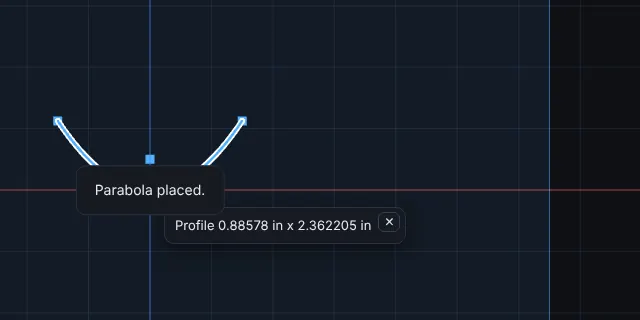
- Click where the curve ends. The piece is placed and selected. A message says Parabola placed.
Options
- Construction Geometry: draws the curve dashed.
Tips and What to Expect
- A focus and an apex on the same point show The focus and the apex must be different points, and the two ends different points of the curve. The same message appears when the two ends are on one spot.
- The parabola is cut into short straight steps, fine enough that no step is more than about 1/50000 of the size of the curve away from the true curve. Its ends are exactly on the curve.
- A parabola is an open curve. Where its ends meet the ends of lines or arcs, the pieces form one closed outline that Extrude and Cut use. The ends must meet, so click on the end with the snap.
- It can be dragged, or moved, turned and scaled with Move, Rotate and Scale. It has no relations and no Smart Dimension yet, and Trim, Extend, Offset Entities and Sketch Fillet do not work on it yet. Put the focus and apex where you want them, using snap.
- Esc cancels while you are placing it. One Undo takes it back.